
Cover image: Designer's screen showing a vector logo with anchor points next to a pixelated version of the same logo
Few things slow down a merchandise order like the message "your logo is low quality". It's rarely anyone's fault. Most people simply haven't been told which logo file to keep, and the file that looks fine on a website can fall apart on a pen. This guide explains vector logo files in plain English, so you can send the right artwork the first time.
Vector vs raster: what's the difference?
Raster images (JPG, PNG and similar) are grids of tiny coloured squares called pixels. They look sharp at the size they were made for. Enlarge them and the squares become visible as blur, jagged edges or blocks.
Vector artwork is different. Instead of pixels, it stores your logo as paths and shapes: lines, curves and fills, described by instructions. The software redraws those shapes at whatever size you need, so nothing gets blurry.
Here is the comparison side by side.
Vector
- Built from paths and shapes
- Typical formats: AI, EPS, SVG, vector-based PDF
- Scales from a pen to a banner without losing sharpness
- Best for: any branding method, and essential for several
- Easy to edit: colours, sizes and versions can be changed cleanly
Raster
- Built from pixels
- Typical formats: JPG, PNG, and also GIF
- Has a fixed size; enlarging it softens the edges
- Best for: websites, social media, email signatures
- Hard to edit cleanly, and detail can't be recovered once it's lost
If you're asking "what is a vector file?", think of it as the master recipe for your logo. A raster is a photograph of the finished dish.
Why vector logo files give the best branding results
Your logo may need to appear on a 10 mm pen barrel one week and a large banner the next. A vector file handles both from the same source, because the shapes simply scale up or down.
That gives you:
- Crisp edges on every product, with no fuzzy outlines.
- Cleaner production. Methods that cut, burn, stitch or press your logo need clear outlines to follow.
- Easier colour control, because each colour is a clean, separate area rather than a blend of pixels.
- Fewer proof rounds. Good artwork means fewer corrections before you approve the digital proof.

How to tell if your logo file is truly vector
The file extension isn't proof. Here's how to check.
- Do the zoom test. Open the file and zoom in very far on a curved letter. A true vector stays smooth and sharp. A raster turns blocky or blurry.
- Look for clean edges around shapes. If you see a faint fuzzy halo or stair-stepped edges, it's pixels.
- Ask whoever made it. A designer can confirm in seconds.
An AI, EPS, SVG or PDF can be vector, but any of them can also contain a raster image placed inside. A PDF might hold nothing more than a pasted JPG. That's why the zoom test matters more than the label.
Why a saved or renamed file isn't vector
A PNG or JPG exported from a vector is still raster. The pixels are baked in at that moment, and you can't get the shapes back from it. Renaming "logo.jpg" to "logo.ai" changes the name only. Enlarging a small image in a document makes it bigger, not sharper, because the software only guesses at the missing detail. That's the usual cause of a low resolution logo.
What each branding method needs
Different methods use your artwork in different ways. Browse the branding techniques overview for detail, and use this as a quick guide.
- Embroidery: your logo is digitised, meaning converted into a stitch plan. A clean vector gives the best starting point. Fine detail and tiny text may need simplifying. See embroidery.
- Laser engraving and CO₂ laser engraving: the laser follows clean outlines, so vector artwork matters. See laser engraving.
- Hot foil stamping and debossing: both use a custom die made from your artwork, so clean outlines are essential. See hot foil stamping and debossing.
- Pad printing: clean vector artwork gives a sharp transfer onto small 3D items. See pad printing.
- Screen printing: needs artwork separated into flat spot colours, one per screen. See screen printing.
- Digital printing and sublimation: more forgiving, and can handle gradients and full colour, but vector still gives the sharpest result.
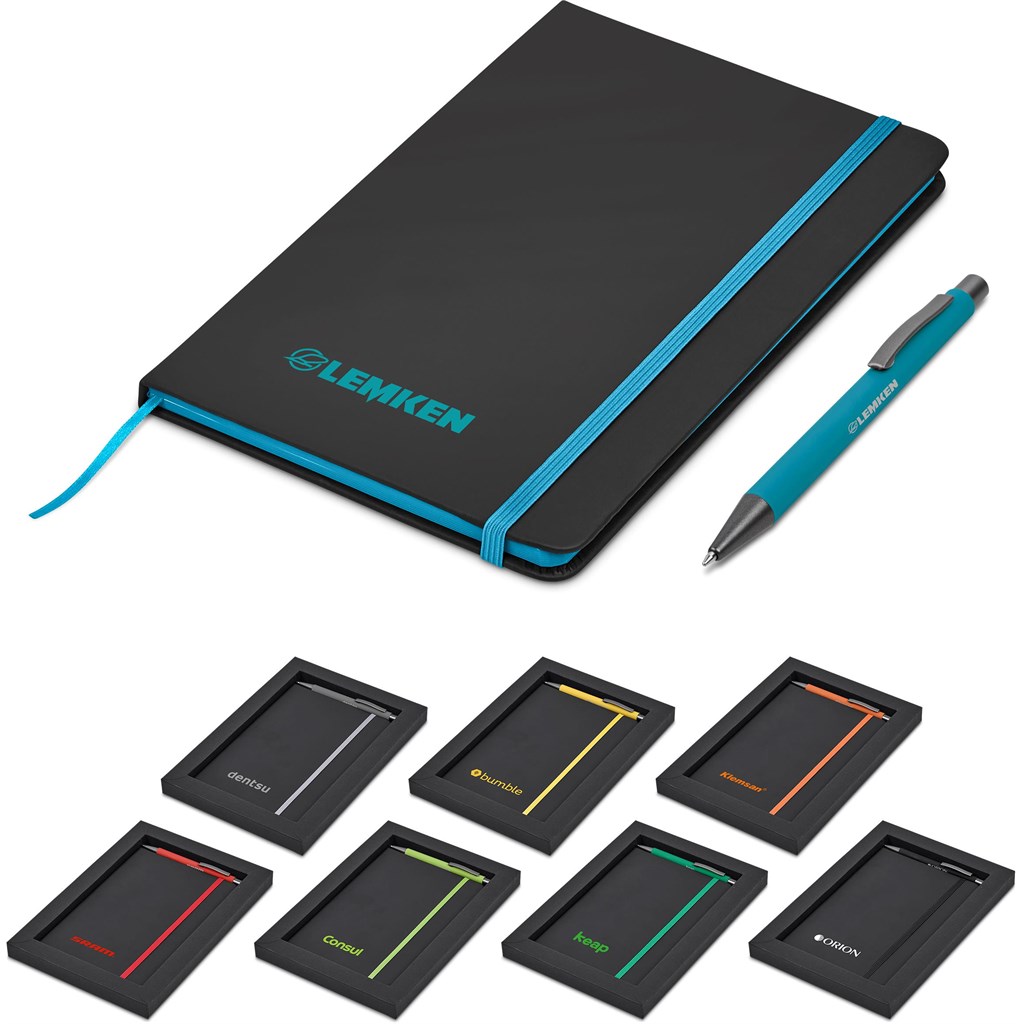
A good example is the Altitude Miller Notebook & Pen Set. It's available with screen printing, debossing, foiling, digital direct and laser engraving. One vector file can serve all of those, so you can choose the finish without redoing your artwork.
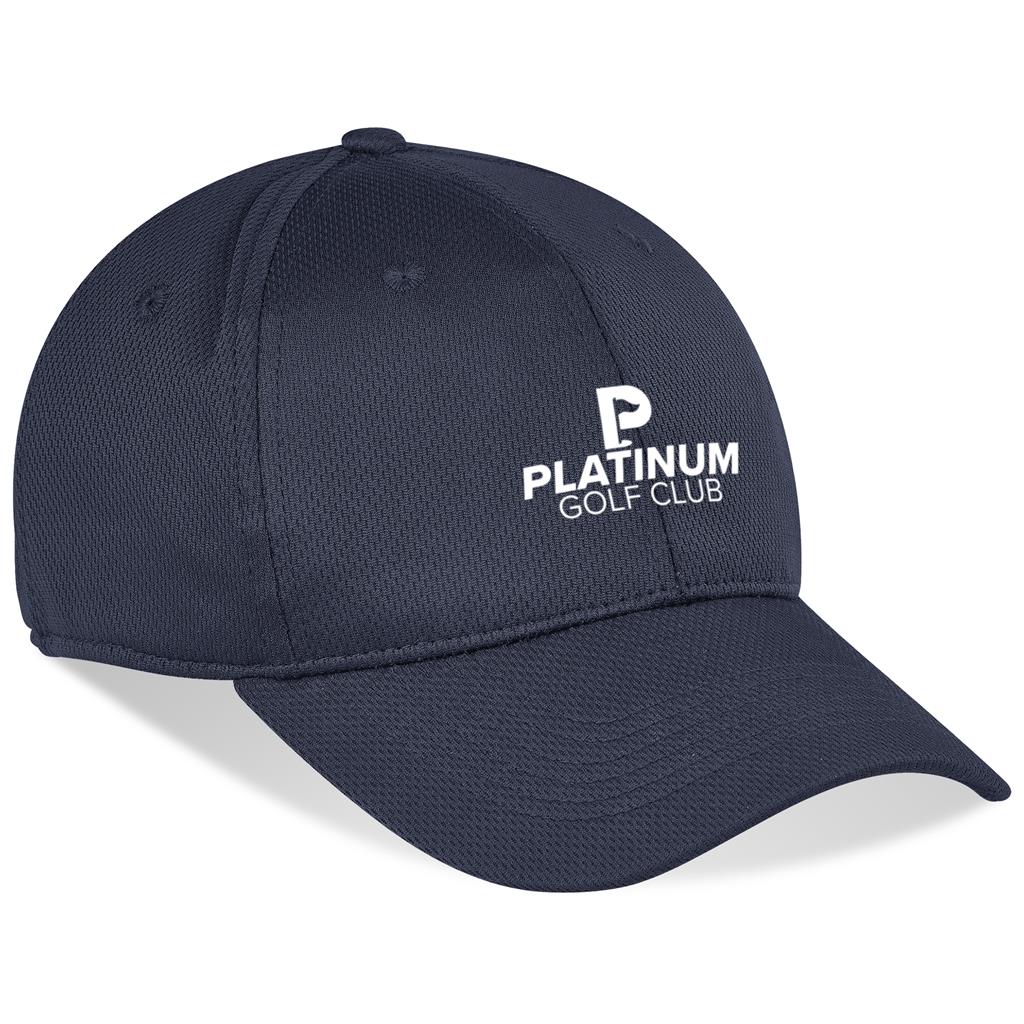
Similarly, the Ace Fitted Cap - 6 Panel can be branded with embroidery, digital transfer or silicone. Embroidery especially depends on a clean logo to digitise well.

Prepare the details that matter
Beyond the file type, a few details save time:
- Outlined fonts. Convert text to shapes, so nothing is swapped for a substitute font on our side.
- Pantone or spot colours. Tell us the exact colour references from your brand guidelines, so we match your brand rather than guess from a screen.
- Single-colour and reversed versions. Many methods use one colour, and dark products need a light version of your logo.
- Line thickness. Very thin lines and tiny text can disappear on small items. Our artwork team can advise on your specific logo and product.
Our artwork guidelines cover the accepted details.
Where to find your vector file
You may already own it. Try these in order:
- Your designer or agency. Ask for "the vector logo files, including the single-colour and reversed versions."
- Your brand guidelines. These often include a download link or a logo pack.
- The original logo design folder. Look for files ending in AI, EPS, SVG or PDF, and check them with the zoom test.
- A colleague who handled previous printing. Signage, uniforms or print jobs often came with the right files.
If you're wondering how to get vector logo files from a designer, keep the request simple and ask for them by name.

Only have a JPG or PNG? Your options
Don't panic. You have choices:
- Go back to the source and ask whoever created the logo for the original files.
- Have it redrawn. A designer rebuilds your logo as clean vector shapes.
- Let us redraw it. Logos that are weak are not something we accept for production, purely because the output would be weak. But our design studio can redraw your logo. Message us for a quote, and we'll tell you what's possible before anything goes ahead.
Not every image can be rebuilt well, and we'd rather be honest about that than deliver a poor result. Everything we do is to make sure you receive amazing quality, every time.
Quick artwork checklist before you order
- A vector file (AI, EPS, SVG or vector-based PDF), confirmed with the zoom test
- Fonts outlined
- Pantone or spot colour references
- A single-colour version and a reversed version
- Your brand guidelines, if you have them
- A note of the products and branding methods you'd like
- Any previous branded items for reference
Planning year-end gifting or early 2027 orders? Sort your artwork now. It's the one step you can finish before anything else is decided.
Preview it first with the logo mockup generator
Before you commit, try the free logo mockup generator. Upload your logo and see how it looks on products. It's a fast way to spot problems, like a logo that's too detailed or hard to read on a dark item. You can then check live costs in the branding calculator.
FAQs
Can I send a PDF?
Yes, if it's vector-based. A PDF can hold vector shapes or a flattened image, so do the zoom test first.
Is a PNG enough?
Often not. A PNG is raster and works only for some digital methods, and only if it's large and sharp. Vector is always the safer option.
What about logos made in Word or PowerPoint?
These are risky, because they're often pasted images or substituted fonts. Ask your designer for the original logo files instead.
Can you fix my low-res logo?
We can't accept low-quality artwork for production, but our design studio can redraw it for a quote. We can't promise every logo can be rebuilt, but we'll tell you honestly.
Ready to send your artwork?
Not sure what you have? Talk to our team and we'll look at your file with you. Browsing ideas first? See our Custom Made range.
When you're ready, request a quote or custom order, and we'll make sure your logo looks its best.
Products in this article
Shop custom made
Price any product with branding in the calculator, see your logo on it, or send us your brief for a quote.


